Introducing Karida Cloud
Karida Cloud is now open to early adopters in public beta. It is a web-based service that connects to your Meshtastic devices and helps you manage channels, configure device settings, and relay messages through the internet.
Not every team needs this on day one. If you are still getting comfortable with your devices and basic mesh communication, keep doing that. Cloud features become useful when your operations grow beyond what device-only workflows can handle comfortably.
The Karida shop is also opening soon. If you are waiting to get your first device, keep an eye out. We will announce the launch here.
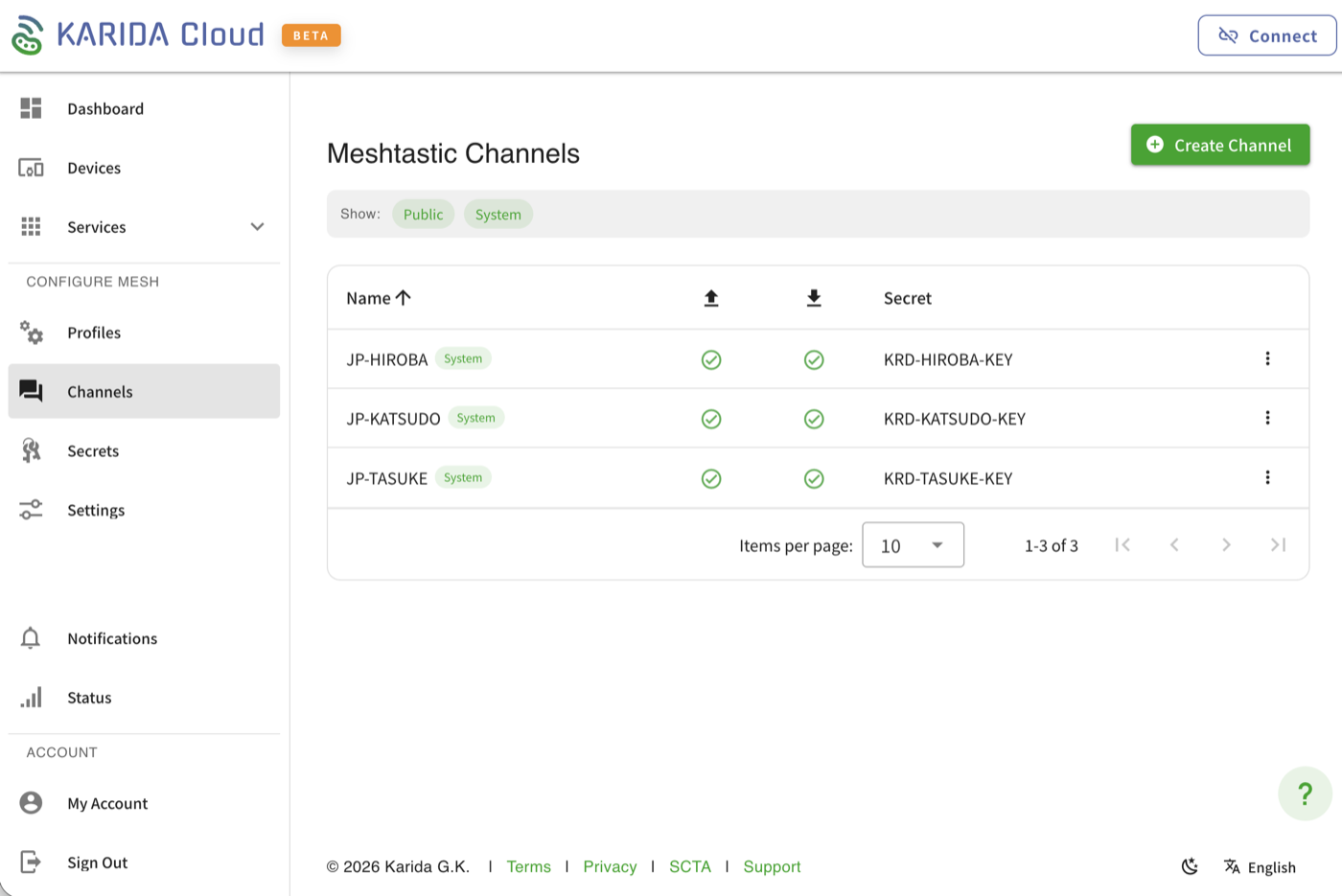
What Karida Cloud does
Channel management. Set up and manage your Meshtastic channels from a browser. Assign channels to your team, control which channels publish and subscribe to the relay, and keep encryption keys organized in one place. When you coordinate across multiple groups or devices, this saves a lot of manual configuration.
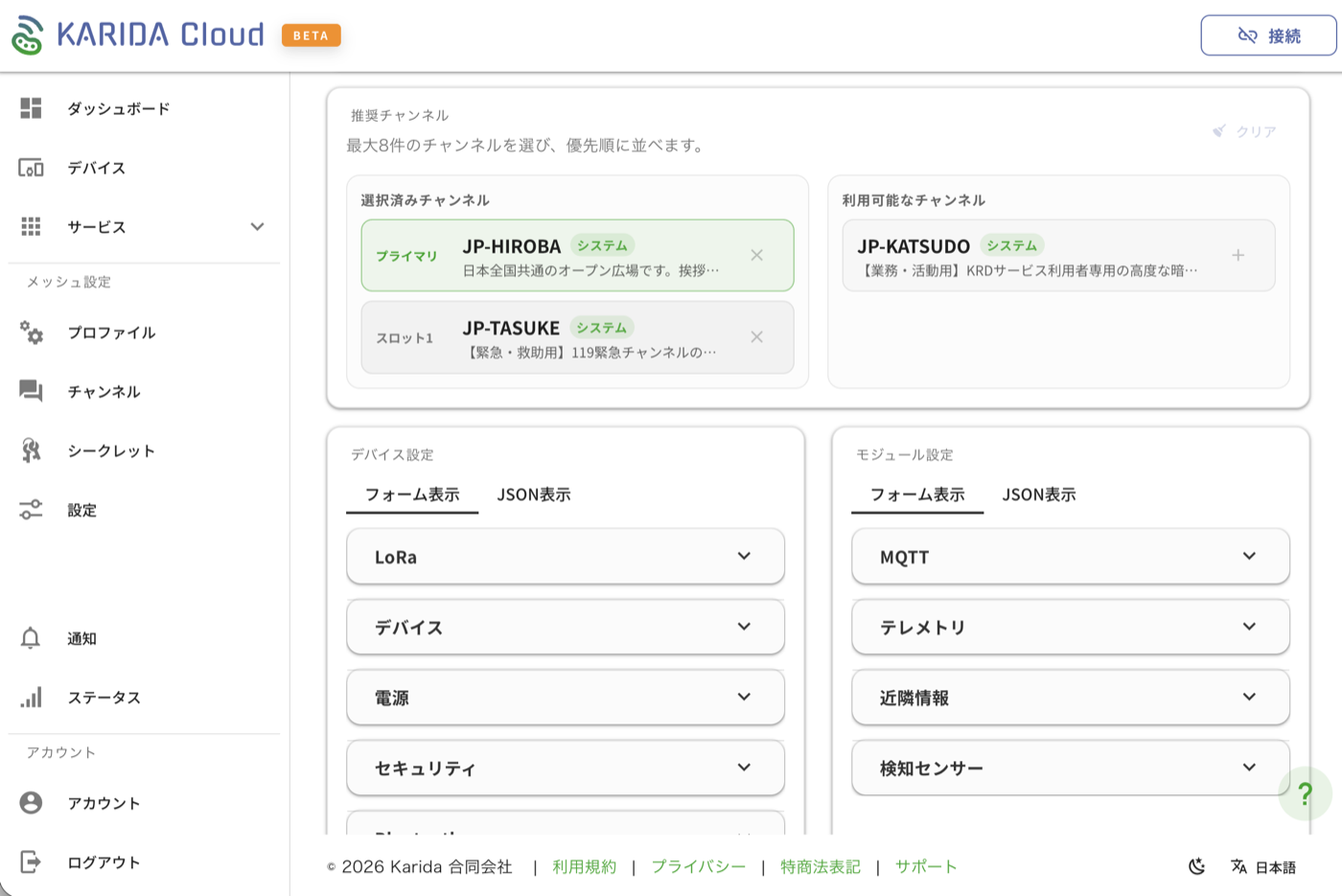
Device configuration. Connect your Meshtastic device via Serial or Bluetooth and configure it directly through the web interface. Adjust LoRa settings, MQTT, telemetry, power, and security options without needing to use the Meshtastic app or CLI. Step-by-step setup guides walk you through the process.
MQTT relay. Your mesh devices communicate locally, but Karida Cloud extends that reach. Messages from the field relay through the internet to the cloud. This means a team leader at a base camp with internet access can stay connected to the mesh even if they are not in direct radio range.
Who benefits most
Karida Cloud is most useful for teams that:
- Run recurring operations (weekly hunts, regular patrol schedules, repeated event setups)
- Manage more than three or four devices and want centralized channel and device configuration
- Need a team leader or coordinator who monitors from a fixed location
- Want a simple way to keep device settings consistent across the team
If your team goes out once a month with two devices and communicates fine using just the Meshtastic app, you probably do not need Cloud yet. That is fine. The devices work perfectly on their own.
Getting started
If you already have Meshtastic devices from the Karida shop, getting onto Cloud takes a few steps:
- Create a Karida Cloud account at cloud.karida.jp.
- Connect your device via Serial or Bluetooth using the Connect button in the top right.
- Follow the setup guide to assign channels and configure your relay settings.
- Your device will connect to the MQTT relay automatically from that point on.
What is next
We are building Cloud incrementally. The current beta covers channel management, device configuration, and MQTT relay. Coming next: location tracking, team-based access controls, and subscription tiers for advanced features.
Karida Cloud is free to try during the beta. Sign up at cloud.karida.jp and see what your mesh can do when it is connected to the internet.
As with any beta, some things may not work as expected. If you run into anything, we want to hear about it. Your feedback directly shapes what we build next. If you would rather wait until things are more settled, that is completely fine too.