Custom Map Layers
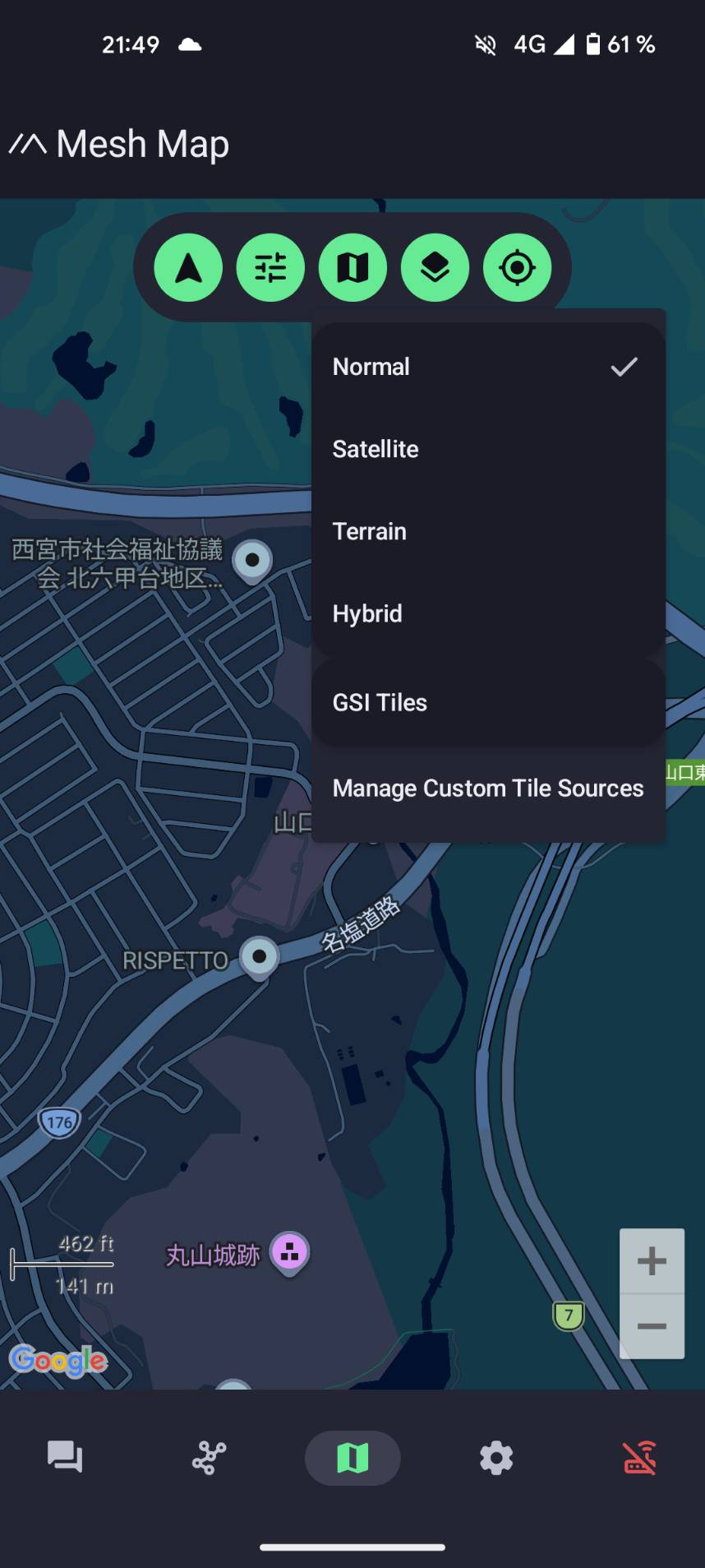
The map in the Meshtastic Android app comes with a few built-in styles (Normal, Satellite, Terrain, Hybrid). For the outdoors, you usually want more: contour lines, terrain shading, and elevation. The Android app lets you add your own map layers, and many of the best ones are free.
This page lists layers we recommend for outdoor use, especially in Japan, with the exact tile addresses to copy and the attribution each one requires.
This guide is for the Meshtastic Android app, which is what the screenshots show. The iOS app does not appear to offer custom map layers.
How to add a layer
-
Open the map in the app and tap the layers button.
-
Choose Manage Custom Tile Sources.
-
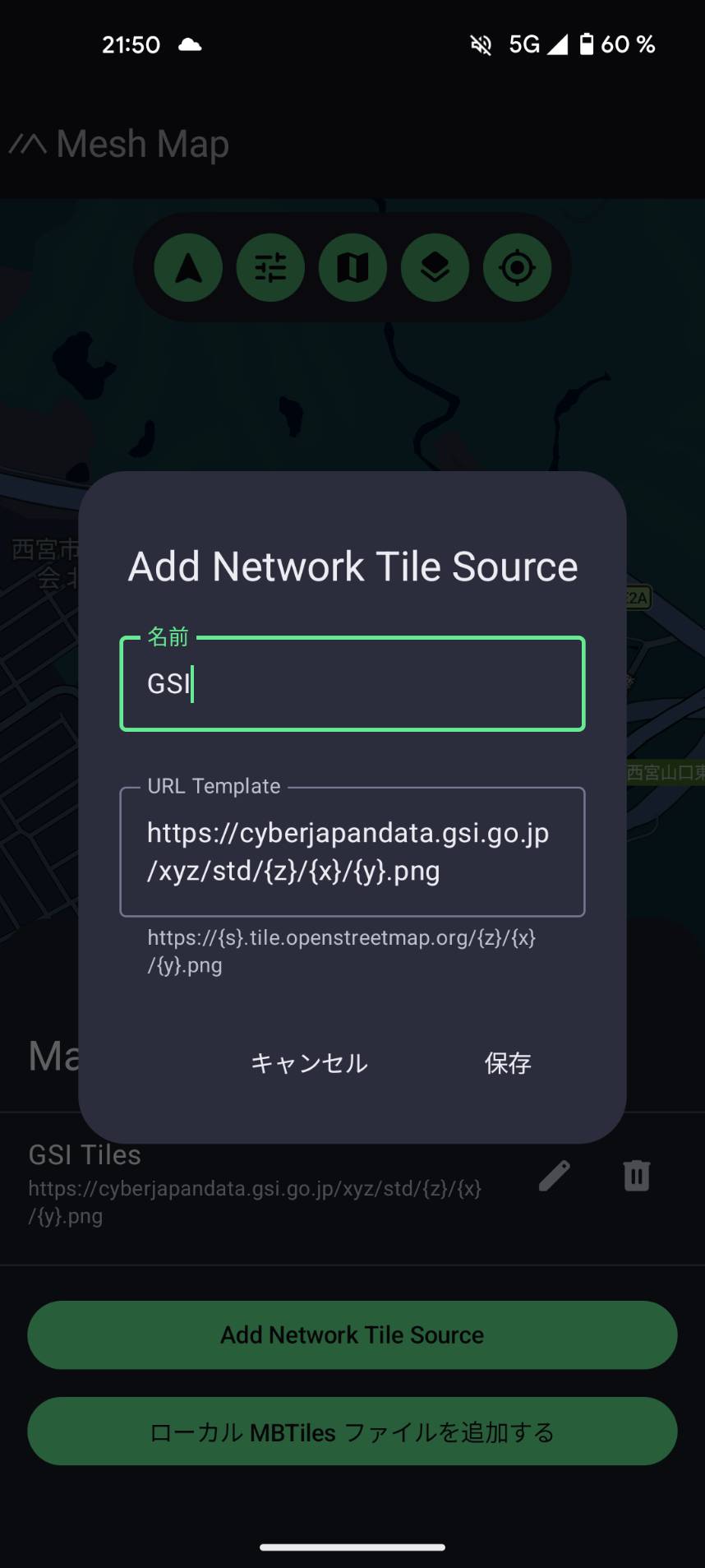
Tap Add Network Tile Source.
-
Enter a name (anything you like, for example "GSI") and paste a tile address into the URL field, then save.
-
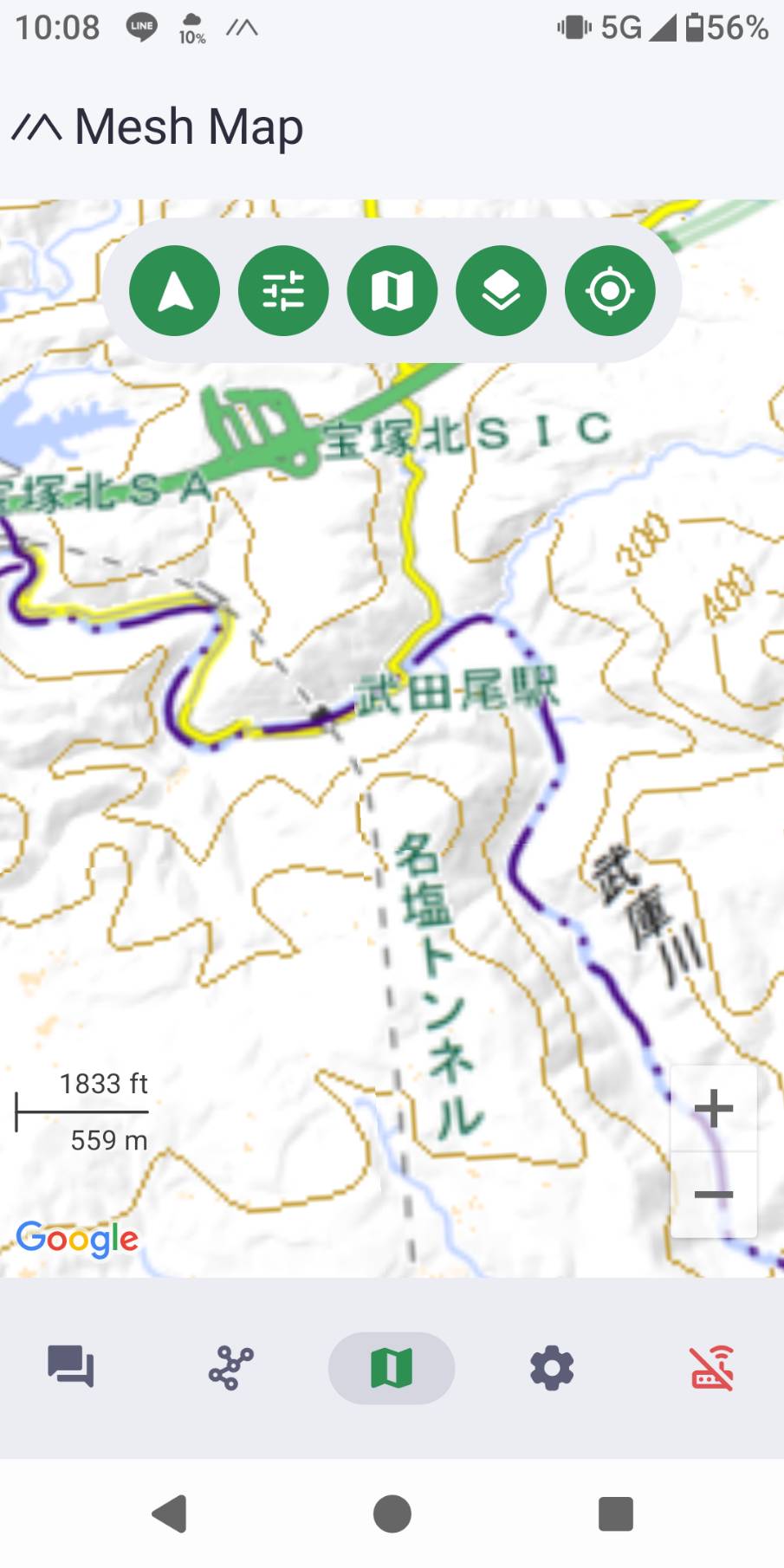
Open the layers menu again and select your new layer.
A "tile address" (also called an XYZ URL) is a web link containing {z}/{x}/{y}. The app fills those in automatically as you pan and zoom, requesting just the tiles you are looking at.
The custom-tile screens are under active development and the Japanese translation is not complete yet, so some labels appear in English and some in Japanese (for example 名前 for "name", 保存 for "save", キャンセル for "cancel"). The fields behave the same either way.
Recommended layers for Japan (GSI)
The GSI (Geospatial Information Authority of Japan, 国土地理院) publishes excellent, frequently updated maps of Japan, free to use with attribution. These are the best choice for the Japanese outdoors.
| Layer | Tile address | Good for |
|---|---|---|
| Standard map / 標準地図 | https://cyberjapandata.gsi.go.jp/xyz/std/{z}/{x}/{y}.png | All-round topographic base: roads, trails, contour lines, peaks, place names. The best default. |
| Pale map / 淡色地図 | https://cyberjapandata.gsi.go.jp/xyz/pale/{z}/{x}/{y}.png | Same detail in muted colours, so your team's positions and track stand out on top. |
| Aerial photo / 写真 | https://cyberjapandata.gsi.go.jp/xyz/seamlessphoto/{z}/{x}/{y}.jpg | Checking actual ground cover: forest, clearings, riverbeds, snow. Note the .jpg ending. |
| Hillshade / 陰影起伏図 | https://cyberjapandata.gsi.go.jp/xyz/hillshademap/{z}/{x}/{y}.png | Shaded relief that shows the shape of ridges and valleys at a glance. |
| Slope map / 傾斜量図 | https://cyberjapandata.gsi.go.jp/xyz/slopemap/{z}/{x}/{y}.png | Colour-coded steepness, useful for spotting steep or hazardous terrain. |
| Colour relief / 色別標高図 | https://cyberjapandata.gsi.go.jp/xyz/relief/{z}/{x}/{y}.png | Colour-by-elevation, for a quick read of how high the surrounding terrain is. |
Attribution (required): 出典:地理院タイル(国土地理院), or in English, "GSI Tiles, Geospatial Information Authority of Japan".
The standard map already includes contour lines, so for most hiking it is all you need. Hillshade and slope are designed to be read together with another map, but they also work on their own for terrain planning.
Layers for anywhere in the world
| Layer | Tile address | Notes |
|---|---|---|
| OpenTopoMap | https://tile.opentopomap.org/{z}/{x}/{y}.png | The best free global topographic map: contour lines plus hillshading and hiking paths. Great when you travel outside Japan. |
| OpenStreetMap Japan | https://tile.openstreetmap.jp/{z}/{x}/{y}.png | General-purpose street and trail base, hosted in Japan by OpenStreetMap Foundation Japan. Faster from Japan than the global OpenStreetMap server, which blocks app traffic. The same site offers a few other styles too. |
Attribution:
- OpenTopoMap: © OpenStreetMap contributors, SRTM | © OpenTopoMap (CC-BY-SA)
- OpenStreetMap Japan: © OpenStreetMap contributors
A note on attribution
These maps are free, and their providers (the GSI, OpenStreetMap, OpenTopoMap) ask for credit in return. The app's add-a-tile-source form is simple and has no field for attribution, so there is nothing to enter there. Just be aware of where each map comes from, and credit the source if you publish a screenshot or share a map. The provider names and credit text are listed with each layer above.
See also
- Blog: Better Outdoor Maps: Add Topographic and GSI Layers to the App
- Hiking and Outdoors
- GSI terms of use: 地理院タイルについて